首页 帮助中心 营销工具Portals 如何在门户中创建二维码?

如何在门户中创建二维码?

portals_3x.png

门户中的一个有用功能允许您为您的门户、产品插页或数字广告创建二维码。让我们来创建一个二维码。

1. 从氦气10仪表板,您可以通过选择屏幕顶部的门户选项卡或左侧菜单中营销选项卡下的门户选项卡来打开门户。
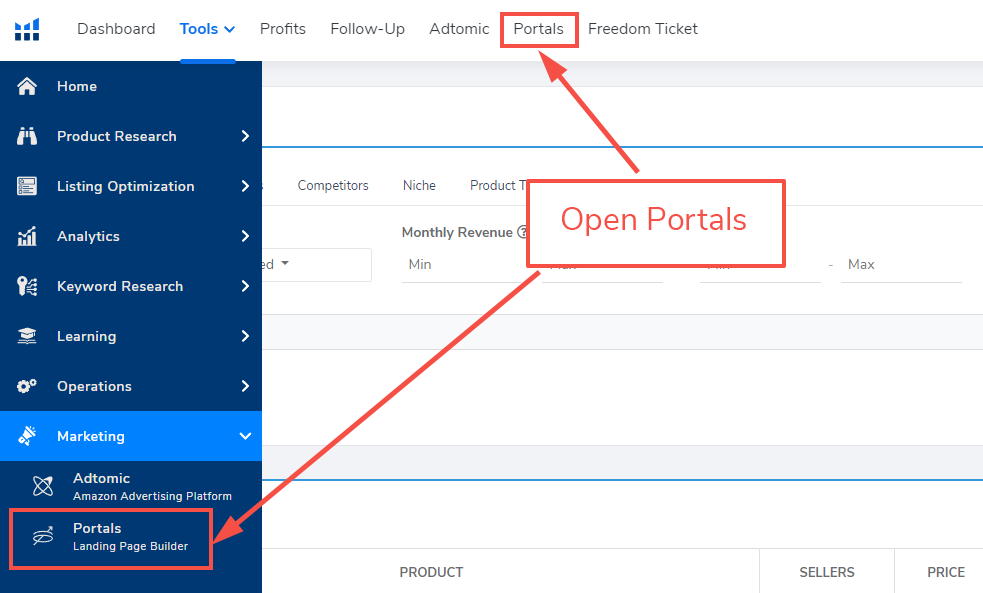
Helium 10 dashboard showing the two ways of opening Portals. Arrows pointing at the Portals tab at the top and the Portals tab on the left side menu under Marketing as described in the text above.

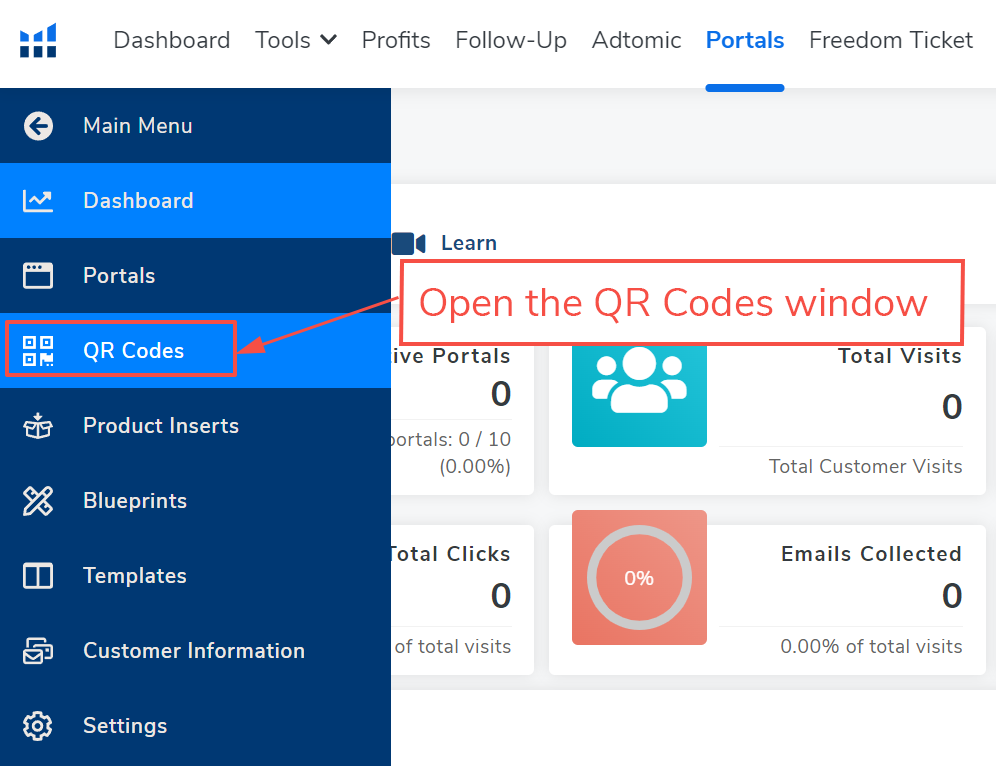
2. 在门户中,使用左侧菜单链接打开二维码窗口。

As described in the text above, the QR Codes tab is highlighted on the left side menu.

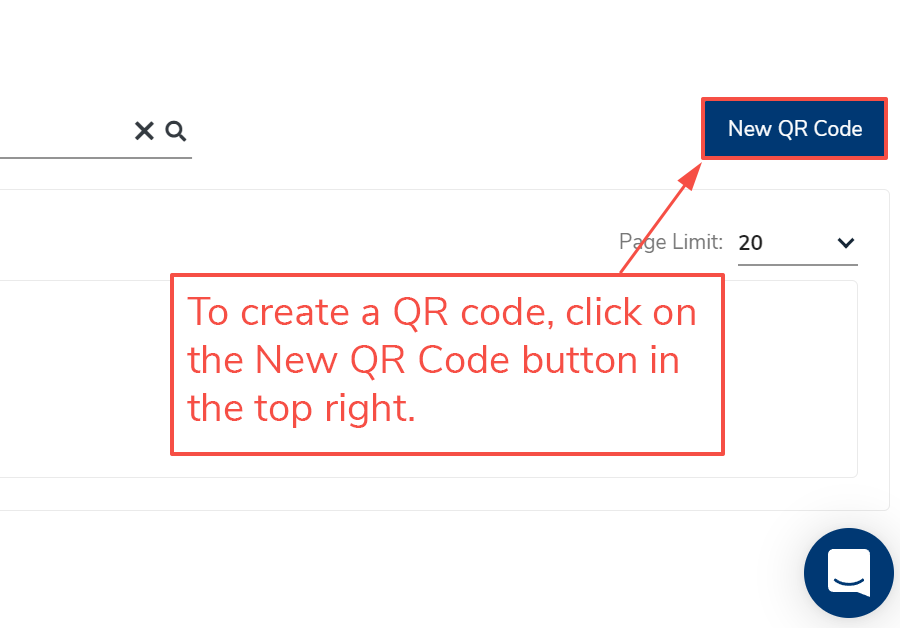
3. 要创建二维码,点击新建二维码按钮。

As described in the text above, the New QR Code button is highlighted in the top right corner of the site.

4. 要创建新二维码,首先使用屏幕顶部的二维码名称字段为其命名。我们建议根据URL命名您的二维码,以便稍后更容易找到。确定名称后,选择二维码类型。您的二维码类型选项包括门户链接、跟踪URL或未跟踪URL。请参阅下面的详细描述。
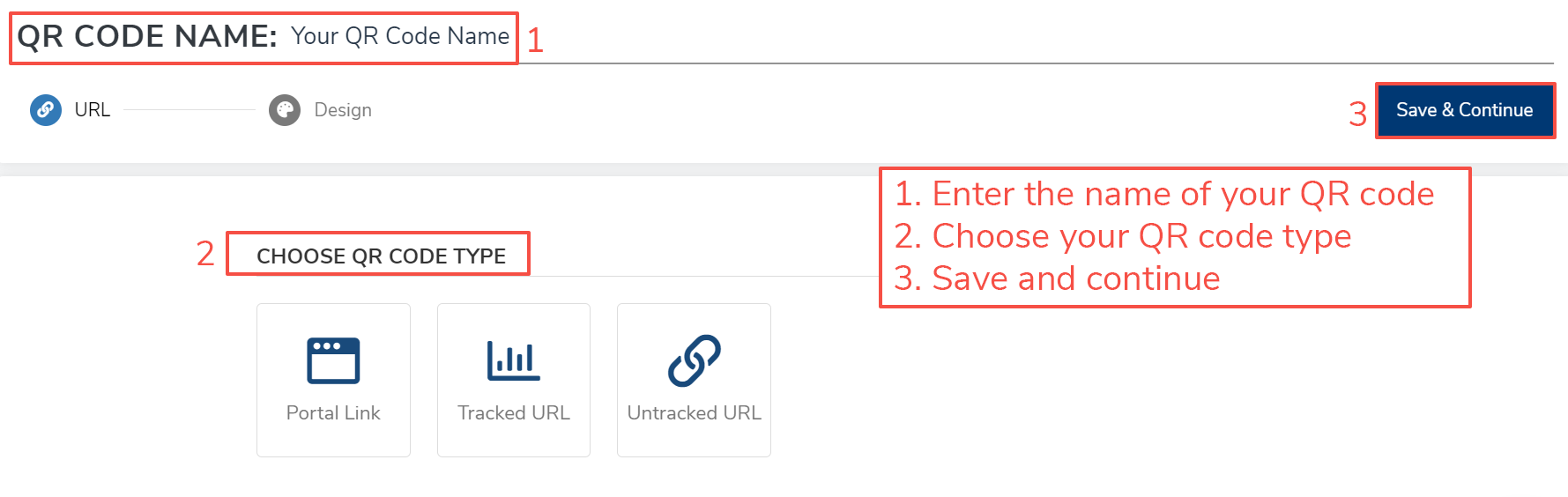
This screenshot shows the steps described above and below. 1. Enter the name of your QR code in the top field. 2. Choose your QR code type. 3. Click Save & Continue at the top right.

  • 门户链接:这将 链接到已存在的门户网页。从您的门户库中选择一个现有门户。点击您想要为其创建二维码的门户,然后点击选择门户URL按钮。完成选项后,点击保存并继续按钮。继续到步骤5以继续。
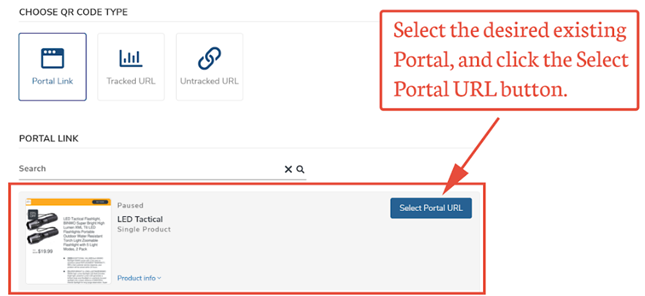
Screenshot shows the Portal Link selected and the existing portal links to choose from. Click Select Portal URL next to the one you choose.

  • 跟踪URL:门户将跟踪二维码扫描、缩短URL统计、扫描设备和位置。选择适当的URL类型并点击添加按钮。下一个屏幕将取决于您选择的URL类型,并显示在点击添加URL按钮继续之前需要填写的必填和可选字段。完成选项后,点击保存并继续按钮。
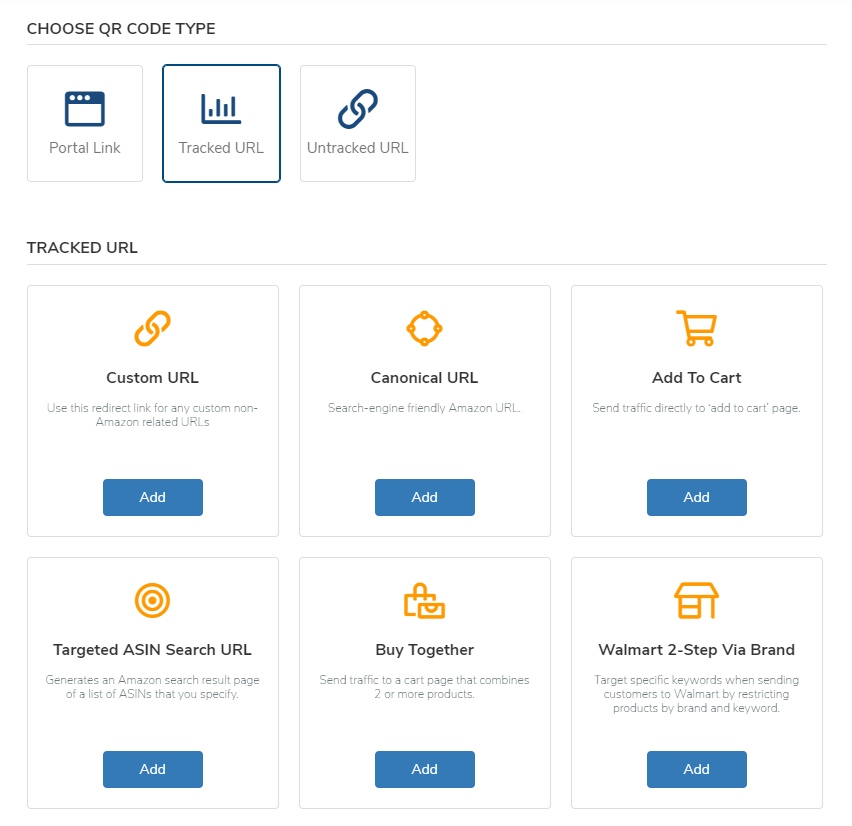
Image shows Tracked URL slected and the six options that are available: Custom URL, Canonical URL, Add to cart, Targeted ASIN search URL, Buy together, and Walmart 2-step via brand.

  • 未跟踪URL:门户将不跟踪二维码扫描和缩短URL统计。在未跟踪URL字段中输入URL。点击保存并继续按钮继续下一步。
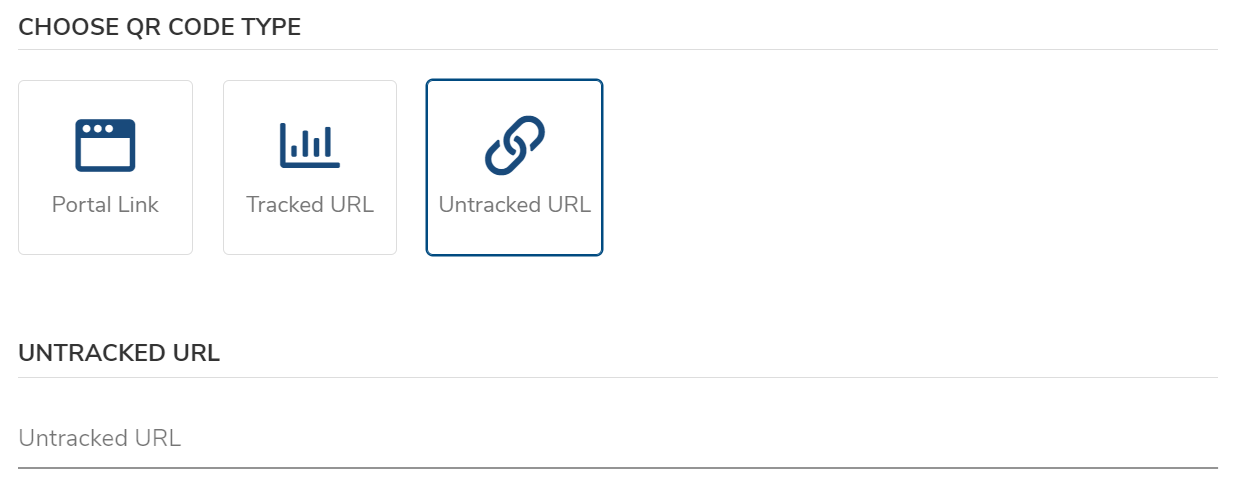
Image shows the Untracked URL selected and the untracked url field ready to be filled out.

5. 二维码创建过程的最后一步是二维码设计页面。在此页面上,您可以添加徽标、添加新图像、定位图像、更改代码颜色、在二维码下方添加URL,并调整点比例。这些设计步骤是可选的。根据您的偏好修改二维码后,点击保存并完成按钮。
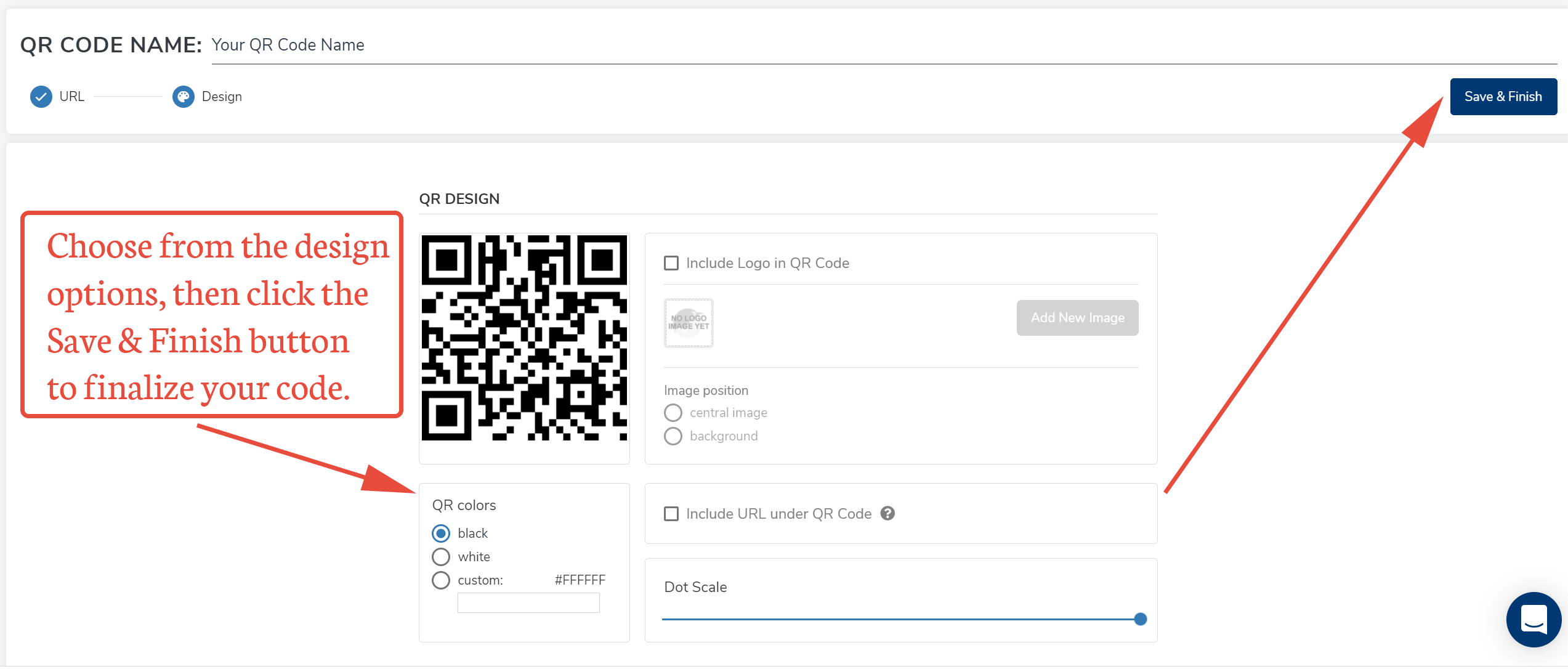
Image shows design options as described above.

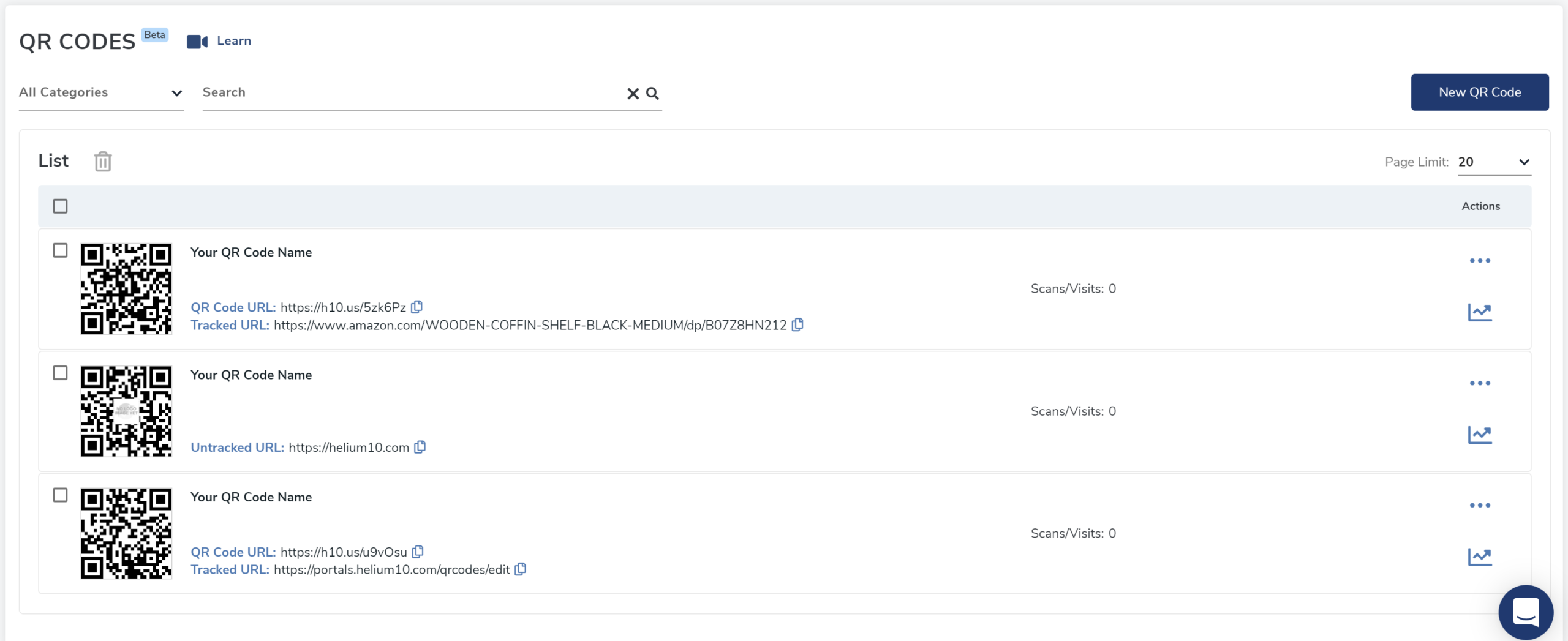
6. 完成后,新二维码将出现在二维码主网页的列表中。

Image shows the new QR code you created amongst the already existing QR codes.

重要:不要忘记测试您的二维码。如果您添加了背景图像或减少了点比例,二维码可能无法正确扫描。如果发生这种情况,您可以通过选择操作列中的操作(三个点)图标并选择编辑图标来编辑您的二维码。

立即创建免费氦气10账户!

 从免费扩展开始:下载氦气10 Chrome扩展

使用 Helium 10 助力发展您在亚马逊或沃尔玛上的业务。

使用您需要的所有工具、培训和专业知识来启动、运行和发展您的业务。
客服
扫码联系客服
扫码联系客服
资讯
关注我们,
获取最新资讯和折扣
关注我们, 获取最新资讯和折扣
公众号
关注我们, 获取最新视频咨询
视频号
简体